Introducing Grammar Canvas: Rebuild Sentences by Connecting Words
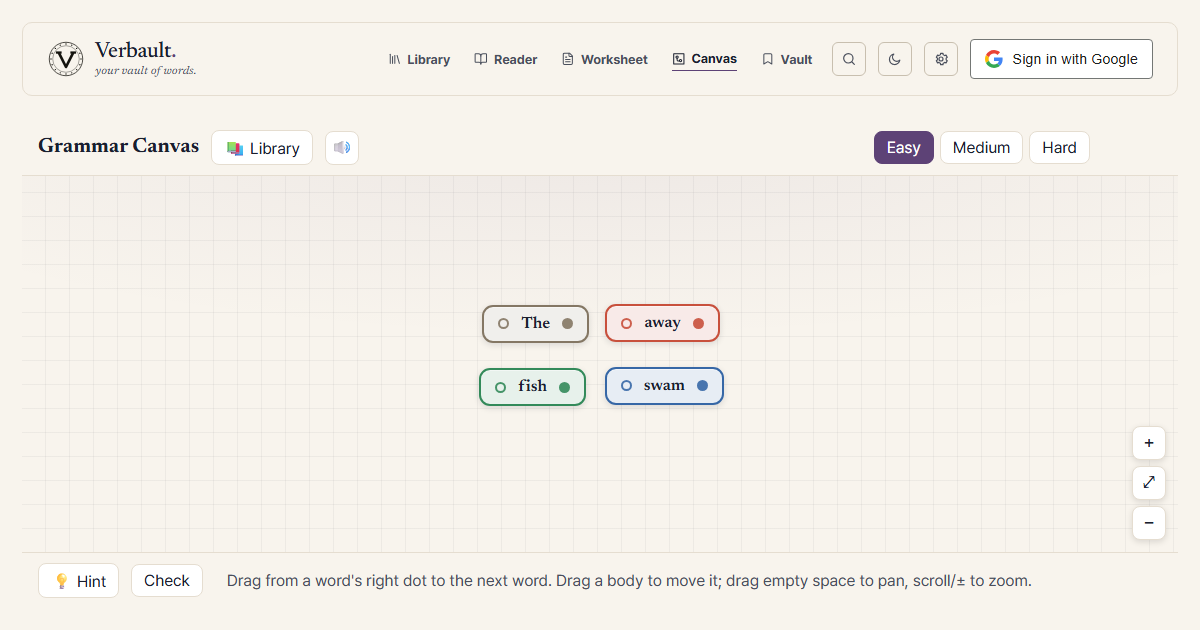
Verbault now has a game. Grammar Canvas hands you a scrambled sentence as a set of word blocks and asks you to wire them back into order — drag a line from one word to the next until the whole sentence reads correctly. It is built with younger readers in mind, and the idea behind it is simple: grammar is easier to take in when you can pull a sentence apart with your hands and put it back together.
You will find it in the top navigation, alongside the Reader and the Worksheet builder. Open Grammar Canvas and a puzzle loads straight away — no setup, and no sign-in needed to start playing.
How a round works
Each round gives you one real sentence, broken into separate words and scattered across the board. Your job is to connect the words in the right order.
- Look at the scattered words. Every word sits in its own block, with a small dot on its right edge and another on its left.
- Drag from one word to the next. Press the right-hand dot of the word that comes first and pull a line to the word that should follow it. Let go, and the connection snaps into place.
- Keep going until the sentence is whole. Link each word to the one after it in turn. When your chain matches the original sentence, the puzzle is solved and the line turns green.
- Move things around as you think. Drag any word block to reposition it, drag the empty background to pan across the board, and scroll or use the ± buttons to zoom. On a phone you can pinch to zoom and drag with one finger.
If you connect two words in the wrong order, the line shows up in red rather than green, so a mistake is easy to spot and easy to undo. There is no timer and no penalty — re-wire as many times as it takes.
What the colors mean
This is the part that quietly teaches grammar. Each word block is colored by the job it does in the sentence, so while you rebuild the sentence you are also seeing its shape.
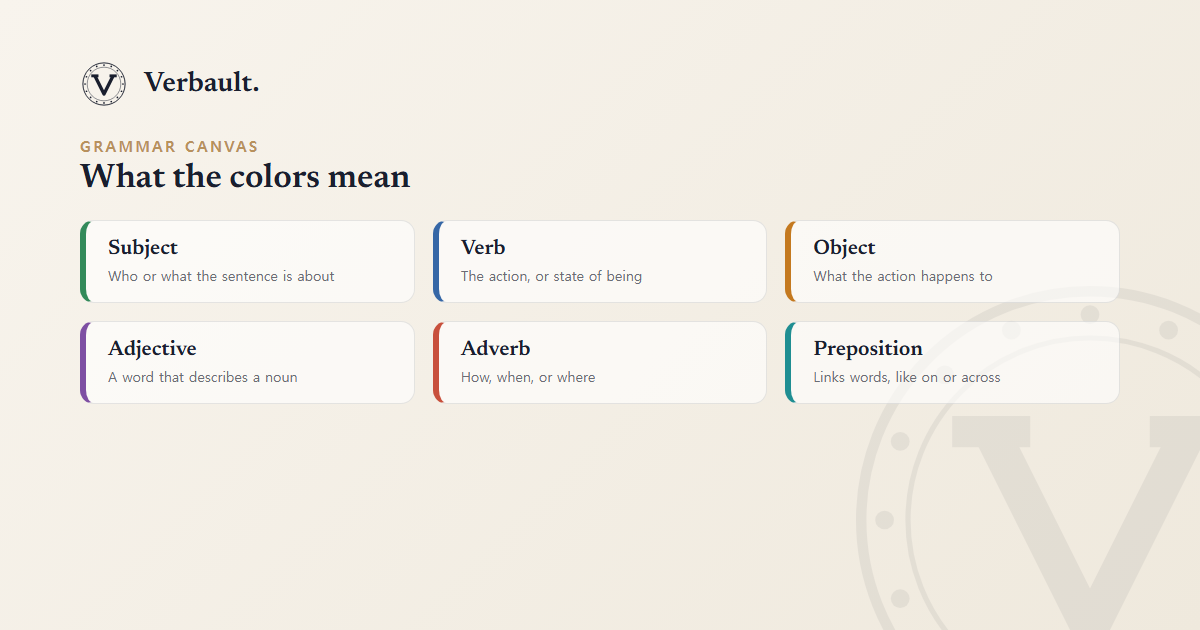
- Green is the subject — who or what the sentence is about.
- Blue is the verb — the action, or the state of being.
- Orange is the object — what the action happens to.
- Purple is an adjective — a word that describes a noun.
- Red is an adverb — a word that tells you how, when, or where.
- Teal marks a preposition, and small joining words such as the and a take a muted color of their own.
You do not need to know any of these terms to play — the colors do the explaining. After a few rounds the pattern starts to feel obvious: the green word and the blue word usually want to sit near each other, the orange word tends to follow the blue one, and so on. That is sentence structure, picked up by eye rather than by rule.
When a puzzle is solved, you can open a short explanation that names each word's role in plain language. It is careful never to over-claim: where the grammar is genuinely uncertain, it says so rather than insisting on a single answer — which matters when the player is a child taking the explanation at face value.
Where the sentences come from
By default, Grammar Canvas draws its sentences from Verbault's library of public-domain books, so the lines you rebuild are real sentences written by real authors, not invented filler. You can also point it at other sources:
- A specific book — rebuild sentences from a title you are reading, such as Frankenstein.
- Your bookmarks — the sentences you saved while reading (this one needs a free account).
- Your own documents — anything you saved to My Docs.
Pick a difficulty — easy, medium, or hard — and Grammar Canvas chooses sentences to match: shorter ones to begin with, and longer, more tangled ones as you step up.
Made to be played
Most grammar practice asks a child to label a sentence that is already correct. Grammar Canvas turns that around. You build the correct sentence yourself, and the labels come along for free, in the form of color. It rewards the same attention that close reading does — noticing which word leans on which — but it feels like a puzzle rather than a worksheet.
Open Grammar Canvas and solve the first sentence. When you would rather slow down and read, the Reader is one tab over, and any word you meet there has its own page — try /word/eloquent — with a definition and a map of related words.
Comments (0)
Log in to comment.